Website accessibility, done properly
Accessibility you can prove, not just promise.
Audsey tests your website the way people actually use it, fixes what's wrong in your site's own code and content, and keeps watching. Every step comes with a report your team, your customers and your lawyer can read.
- WCAG 2.2 AA
- Real fixes, no overlay widgets
- Tested with a screen reader
- WCAG 2.2 Level AA
- WCAG 2.1 and 2.0
- Section 508
- VPAT® 2.5 conformance reports
- Desktop and mobile
The problem
Most websites shut someone out, and most fixes don't fix anything.
One in four American adults lives with a disability. If your site can't be used with a keyboard, a screen reader or zoomed-in text, those customers leave, and some of them file complaints.
Thousands of website accessibility lawsuits are filed in the US every year, and small businesses are named in many of them. The quick fixes sold to them, overlay widgets and toolbars, change how a page looks on top without repairing the page underneath. Some sites that use them get sued anyway.
- Automated checkers alone catch only part of the problem. Keyboard traps, confusing screen reader output and unclear forms take a person to find.
- A one-time audit goes stale the next time someone adds a page, a photo or a plugin.
- A score with no story doesn't help anyone. You need to know what changed, what's left and what to do next.
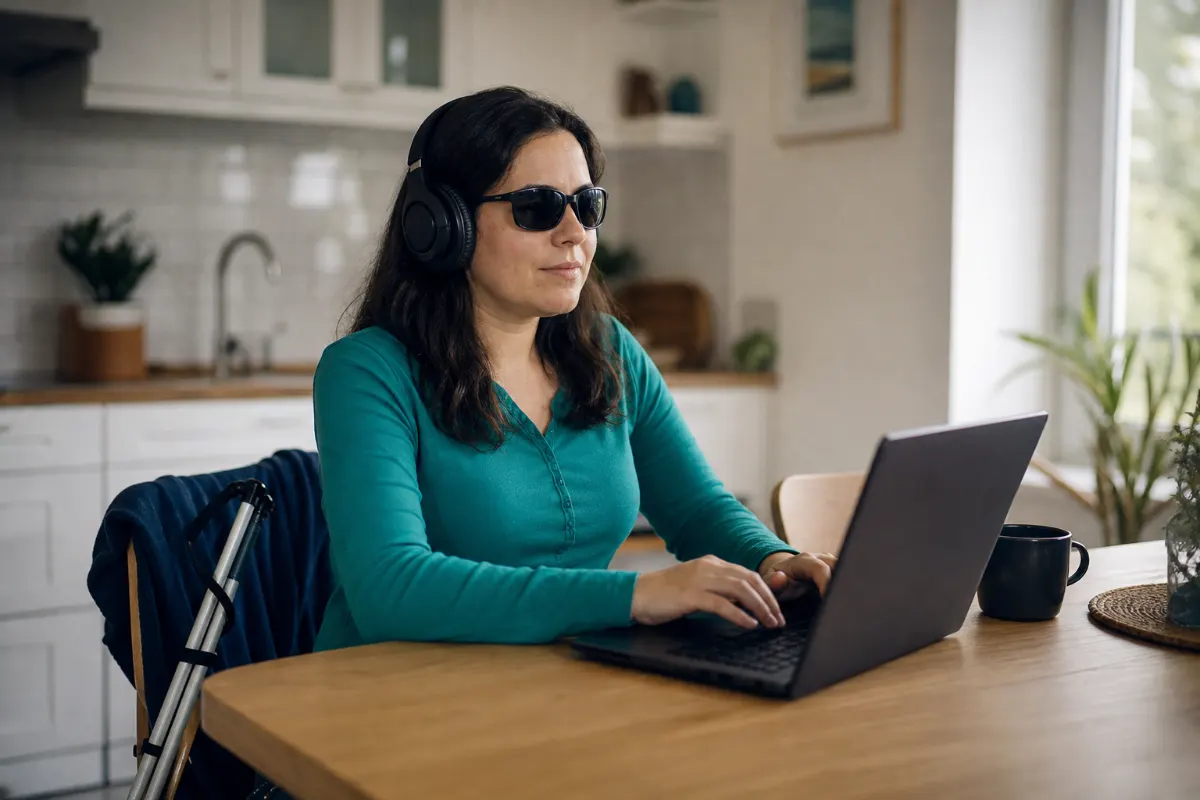
We test with NVDA, one of the most widely used screen readers.
How it works
From a first audit to ongoing proof
One process, the same whether your site has nine pages or ninety.
Audit
We scan every page at desktop and phone sizes, in every state: menus open, carousels moved, forms submitted. Then a person reviews what the machines can't judge.
You get: a baseline reportFix
We repair problems where they start, in your theme, content and plugins, using a fix plan that points to the exact template, widget or page behind each problem.
You get: a fixed site, no widgetVerify
We scan again and repeat the keyboard and screen reader tests, then compare against the baseline: what was fixed, what's left and anything new.
You get: a before-and-after reportMonitor
Scheduled scans, monthly or quarterly, catch new problems as your site changes. A yearly cleanup handles what's built up since.
You get: a summary email and a live dashboard
What we check
Four testing engines, and a person who checks their work.
Each engine catches things the others miss. Where two of them flag the same element, we treat it as high confidence. Then a person reviews what no machine can judge.
axe-core
The industry-standard rules engine, pinned to an exact version so results stay comparable over time.
IBM Equal Access
A second, independent set of WCAG 2.2 rules, to cross-check the first.
Audsey checks
Problems the big engines skip: repeated or redundant alt text, low-contrast hidden text, unlabeled hidden fields.
Accessibility tree
What a screen reader actually receives from the browser: titles, language, names, headings and landmarks.
A person, with a keyboard and a screen reader
Tab order and visible focus, NVDA on every page, zoom to 400% and reflow at phone width, text over photos, and every form submitted empty, wrong and right.
What you get
Reports people actually read
Plain language first, detail when you need it. Built for owners, developers, procurement officers and attorneys alike.
Before-and-after reports
An executive summary in plain words, the Accessibility index and how it changed, every issue grouped by root cause with screenshots, and exactly what was fixed. The PDF is tagged and passes its own accessibility checks.
VPAT® conformance reports
An Accessibility Conformance Report in the VPAT 2.5 format, WCAG or Section 508 edition, for procurement and government buyers.
A statement and a badge
A public accessibility statement for your site, and an optional "Accessibility monitored by Audsey" badge linking to your latest published results.


The Accessibility index
A number you can track, with the story behind it.
The index scores each WCAG criterion that applies to your site, from 0 to 100, with the most basic barriers (Level A) weighted most.
Each report shows what moved the index: issues fixed, issues new, and criteria that changed status. When the testing rules change, the trend chart marks it, so a rule change is never mistaken for a regression.
The index is not a compliance percentage. No tool can certify a site as compliant, and anyone who says theirs can should make you suspicious.
Case study
A local builder's website, from 65.4 to 100
A construction company in Northern California: a WordPress site with page builders, sliders, galleries and a contact form protected by reCAPTCHA.
The baseline found 27 errors and 116 alerts across nine pages, including low-contrast text, buttons and links a screen reader couldn't name, carousels that moved with no way to pause them, form fields with no visible labels and no way to skip past the header. We fixed them in the theme and content, gave each of 58 project photos its own description, and re-tested everything by keyboard and with a screen reader.
Our stance
No overlays. Real fixes.
Accessibility widgets promise a one-line install. Disabled users and accessibility professionals have been telling the industry for years that they don't work.
An overlay widget
- Adds a toolbar on top of the page, and leaves the broken code underneath
- Often gets in the way of the screen readers people already use
- No record of what was found or fixed
- Monthly fee, forever, for the same broken site
Audsey
- Fixes the theme, templates and content themselves
- Works with every browser, screen reader and device, because the page itself is right
- Dated reports show what was tested, found and fixed
- Monitoring catches new problems while they're small
Services
Start with an audit. Stay accessible.
Every engagement starts with a baseline. From there, choose how closely you want us watching.
Audit and remediation
For sites that need to get right, once.
- Full baseline audit and report
- Fixes in your theme and content
- Keyboard and screen reader testing
- Before-and-after report
Ongoing monitoring
For sites that change: new pages, posts, products.
- Monthly or quarterly scans
- Summary email after each scan
- Client dashboard and trend chart
- Public badge and statement
Yearly cleanup
For keeping a fixed site fixed.
- A full re-audit once a year
- Fixes for what's built up
- Fresh report and conformance report
- Updated accessibility statement
Questions
Straight answers
Will Audsey make my site "ADA compliant"?
No one can honestly promise that. The ADA doesn't name a technical standard for most private websites, and courts look at the whole picture. What we can do is bring your site in line with WCAG 2.2 AA, the standard courts, regulators and buyers point to, and give you dated evidence of the work. That's the strongest position a business can be in.
Do you work with WordPress, Shopify or custom sites?
Yes. Testing works on any public website. Our fix plans are most detailed for WordPress, including Elementor, where they point to the exact page, widget or template behind each problem. For other platforms we fix the code directly or hand your developer a precise list.
How is this different from free checkers like WAVE or Lighthouse?
Those are good tools, and we compare our results against WAVE. But a free checker gives you a list of warnings for one page at one moment. Audsey runs four engines on every page and state, groups the results by root cause, adds testing by a person, fixes the problems, and tracks your site over time.
How long does an audit and remediation take?
It depends on the size of the site, how it's built and how much content needs rewriting. Your quote includes a timeline, from the baseline audit to the after report. Approving things like image descriptions quickly helps the most.
What about social media, PDFs and third-party tools?
We test what's on your site, including embedded forms and widgets, and list third-party limitations honestly in your accessibility statement. Documents and social media accounts can be added to the scope. We'll tell you where the real risk is.
Find out where your site stands.
Tell us about your site. We'll reply with what we'd test, what it would take and what it would cost.